$ Is my stack secure?
Ask your coding agent. Keep Me Secure is a free MCP server that checks more than your packages: your Node.js and PHP versions, your Dockerfiles, and known breaches at platforms you use. You get one answer, with what to do next.
1. Connect it
Claude Code
$ claude plugin install keep-me-secure --marketplace robertkeus/keep-me-secure-mcpPaste this in your terminal. It checks by itself each day when you start coding. Needs Node.js 22 or newer, no account or Docker.
Other agents
https://mcp.keepmesecure.dev/mcpAdd this URL as a remote MCP server in your agent's settings. Your agent sends the package list, so it only checks what your agent sends. For a full check every time, use Docker.
Docker
$ docker run --rm --user "$(id -u):$(id -g)" -v "$PWD:/workspace" ghcr.io/robertkeus/keep-me-secure-mcp:latest initPrefer Docker? Run this in your project.
2. Ask your agent
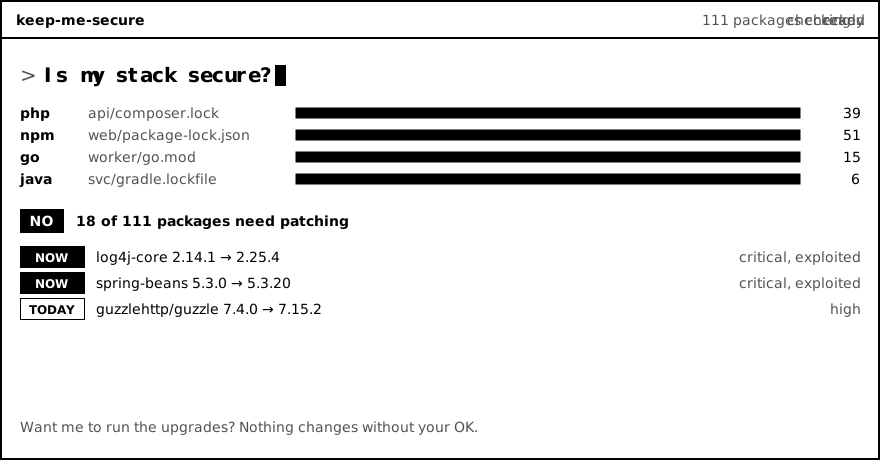
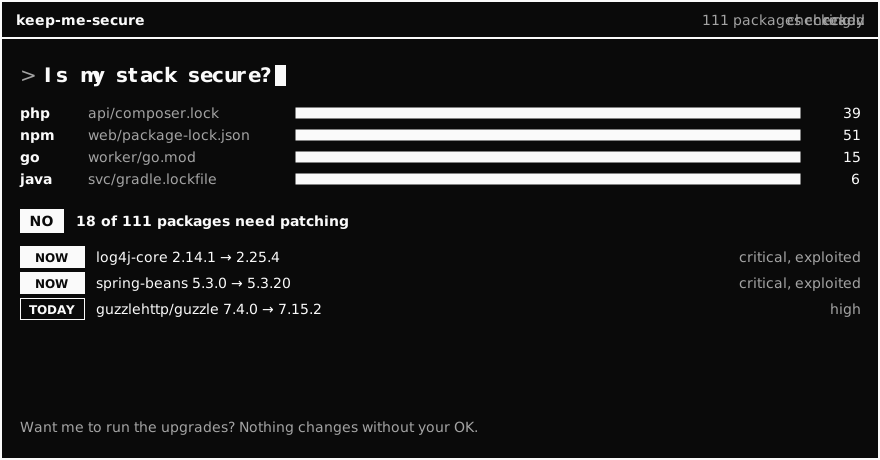
No. 2 of 39 packages need patching today.
- guzzlehttp/guzzle 7.4.0 → 7.15.2high
- symfony/http-foundation 5.4.0 → 5.4.54high
Want me to run the upgrade?
It never changes anything without your OK.
Why not just Dependabot?
Keep using it. Dependabot is great at opening fix pull requests, and Keep Me Secure can set it up for you. Keep Me Secure adds what Dependabot's alerts don't look at, and answers in your coding session.
| Dependabot | Keep Me Secure | |
|---|---|---|
| Known flaws in packages | Yes | Yes |
| Automatic fix pull requests | Yes | No, your agent proposes the fix |
| Flaws in Node.js and PHP themselves | No | Yes |
| Support end dates | No | Yes |
| Breaches at platforms you use | No | Yes, from a curated list |
| OS packages in Dockerfiles | No | Yes, as a warning |
| Waiting before new releases install | For its own pull requests | Checks npm, pnpm, Yarn and Composer |
| What it reads | Your default branch on GitHub | Your working copy, even uncommitted |
| Where you see it | GitHub alerts and pull requests | In your coding session |
Dependabot can also update Docker image tags. Compared with GitHub's documentation in November 2026.
What it checks
Every package in your lockfiles, including the ones you didn't install directly, for PHP, JavaScript, Python, Go, Rust, Ruby, Java and .NET.
It also checks your Node.js and PHP versions, and warns you about known breaches at platforms you use, such as Railway and Vercel. See recent incidents.
And it reads your Dockerfiles, flags old packages and ending support dates, and can set up Dependabot.
It doesn't scan built images, your servers, software on your computer, or your own code. The runtime and incident lists are curated, so they aren't complete.
Your data
Claude Code plugin and Docker: your lockfiles stay on your machine, and only public package names and versions are looked up. Hosted URL: your agent sends package names and versions to us. We don't store them, though Cloudflare, our host, may keep its own standard request data. Read the privacy statement.
Questions
What is Keep Me Secure?
Keep Me Secure is a free, open source MCP server. It lets your coding agent check the packages in your project against public security advisories, then answer yes, no or unknown, with what to do next.
Do I still need Dependabot?
Keep using it. Dependabot is great at opening fix pull requests, and Keep Me Secure can set it up for you. Keep Me Secure adds what Dependabot's alerts don't look at, such as flaws in Node.js and PHP themselves, support end dates, platform breaches and OS packages in Dockerfiles. It also answers in your coding session, on your working copy.
When does it check?
In Claude Code it runs when a session starts, with a real check once a day per project. A changed lockfile triggers a new check straight away. The result is saved on your machine, not in your project. You can also ask at any time.
Does it check test folders?
No. Lockfiles in test and example folders usually don't ship, so they're skipped to avoid false alarms. They're listed in the result, and you can still check one by asking for that folder.
Does it check Node.js and PHP themselves?
Yes. It reads the versions your project declares, in files such as .nvmrc, composer.json and Dockerfile, and warns about known flaws in Node.js and PHP. Those may differ from what runs on your servers, so check that too. If a project only declares a range, it says it can't confirm.
Does it warn about old packages?
Yes, as a note. It flags direct dependencies that are deprecated, abandoned, or have had no release for two years. Old doesn't mean unsafe, so this doesn't change the yes or no. It also shows when your Node.js or PHP version stops getting support, and whether your package manager waits before installing new releases.
Does it check platform breaches?
Yes, for known ones. If your project uses a platform with a recent security incident, such as Railway or Vercel, it tells you what happened and what to do, with a link to the source. There's no public database for this, so we keep a curated list, and it isn't complete. See the incident list.
Which coding agents does it work with?
It's tested with Claude Code, Codex and opencode. Other agents that support MCP should work too.
Which languages and lockfiles does it support?
PHP (composer.lock), JavaScript (package-lock.json, pnpm-lock.yaml, yarn.lock), Python (requirements.txt, poetry.lock, uv.lock), Go (go.mod), Rust (Cargo.lock), Ruby (Gemfile.lock), Java and Kotlin (gradle.lockfile) and .NET (packages.lock.json).
Where does the security data come from?
OSV.dev for advisories, the CISA Known Exploited Vulnerabilities list for active attacks, and FIRST EPSS for the chance of exploitation.
Is it free? Do I need an account?
Yes, it's free and MIT licensed. You don't need an account or a token.
Will it change my code?
No. It only reads and reports. Your agent suggests the upgrade, and you decide whether to run it.
What does a "no" mean?
No known issue in public advisories at the time of the check. If the check was incomplete, the answer is unknown, never no. It isn't a full security audit: it doesn't scan built images, your servers, software on your computer, or your own code.